



To cancel a specific item from your order, follow these steps:
- Go to the 'Orders' page in 'My Account'.
Locate the relevant order and click on the 'Order Information' button.

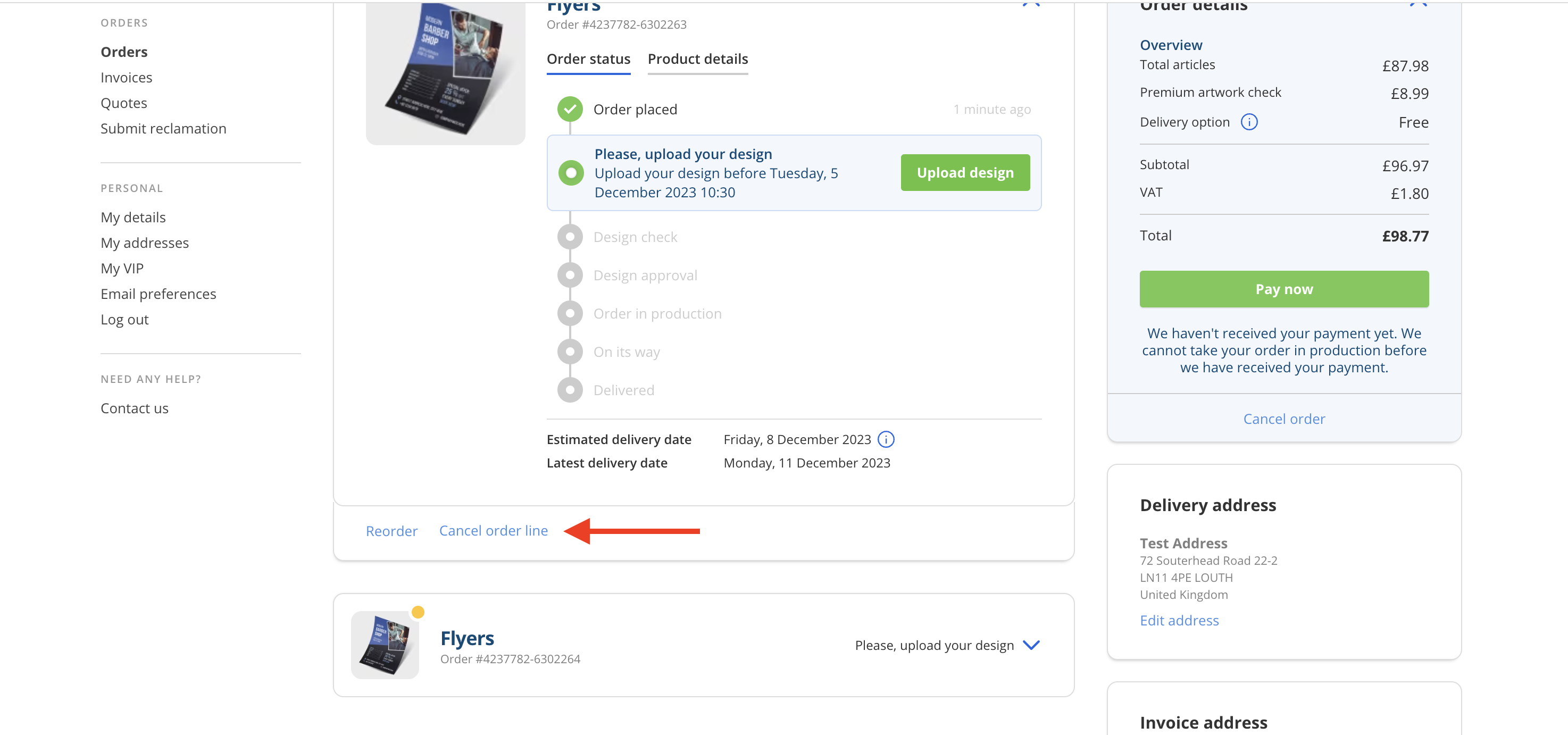
Click on the button labeled 'Cancel Item' at the bottom of the product you wish to cancel.
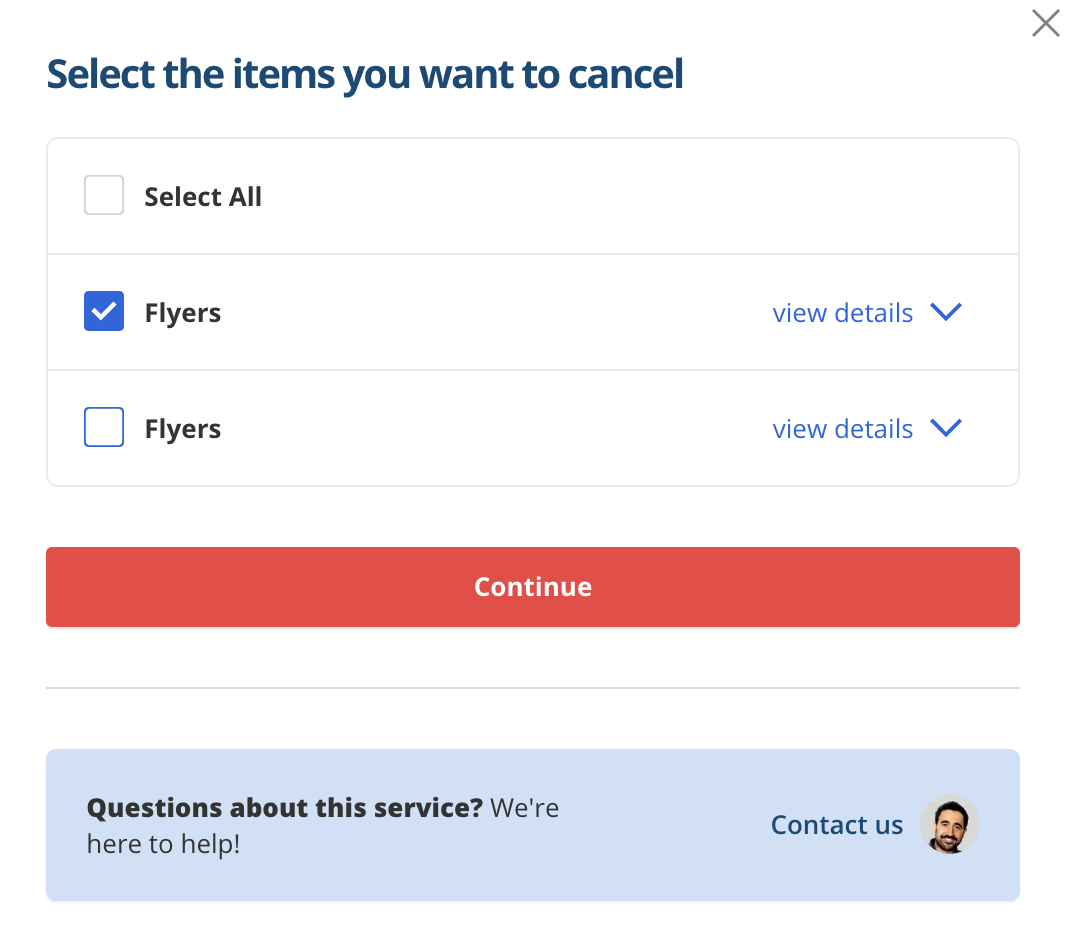
- Select the product(s) you want to cancel.
Click 'Continue'
- Choose a cancellation reason from the menu.
- Click on 'Yes, cancel my order'.
- That's it! By following these steps, you have successfully canceled a product in your order.
To ensure that everything has been processed correctly, you will receive a confirmation email from us. You can also keep an eye on the 'Orders' page to see if the status of your order has been successfully changed to 'Cancelled'.
