



Yes, you can easily repeat a previous order.
In order to do so, follow the following steps:
- Go to 'Orders' in your account by hovering over your name in the top right of your screen.
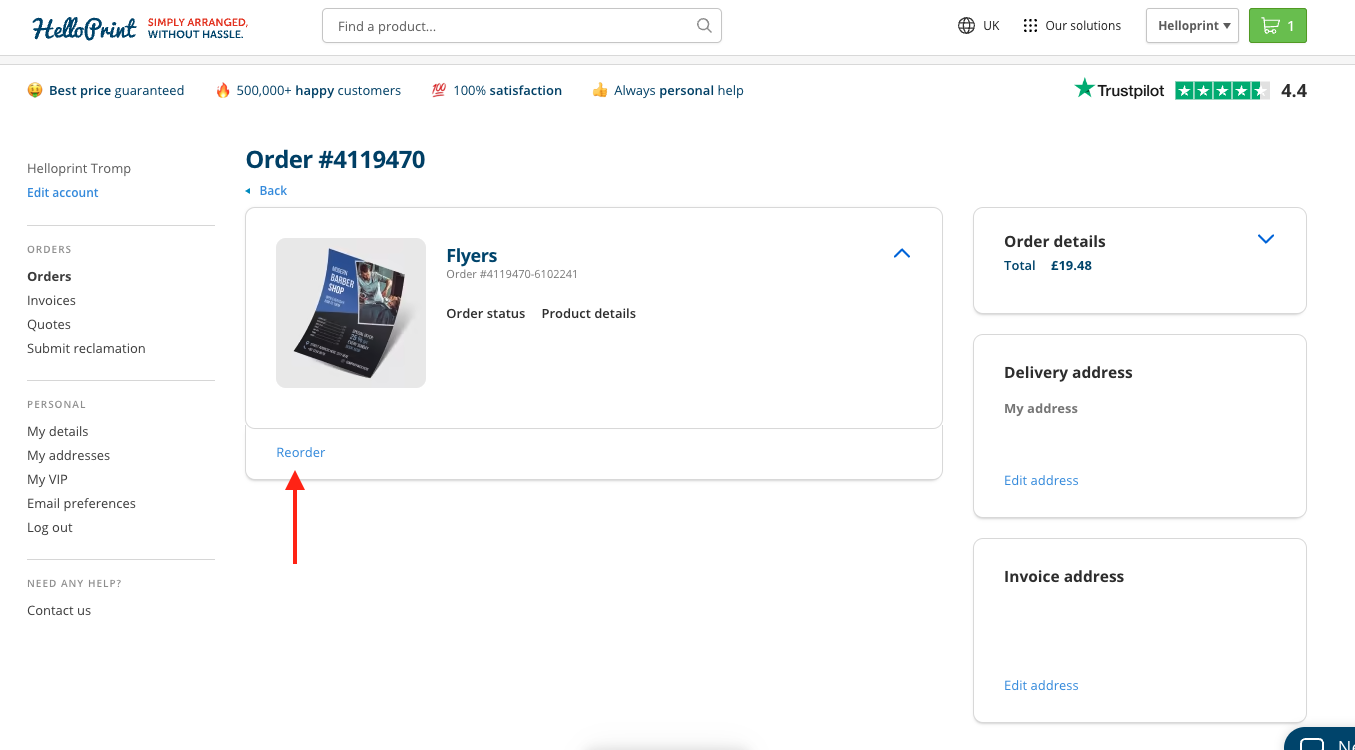
- Go to the order overview page of the specific order you would like to repeat by clicking on 'order details', which you can find right next to your order information.
Once you have landed on the order detail page, you can click on the 'reorder’ button under the product you want to reorder.
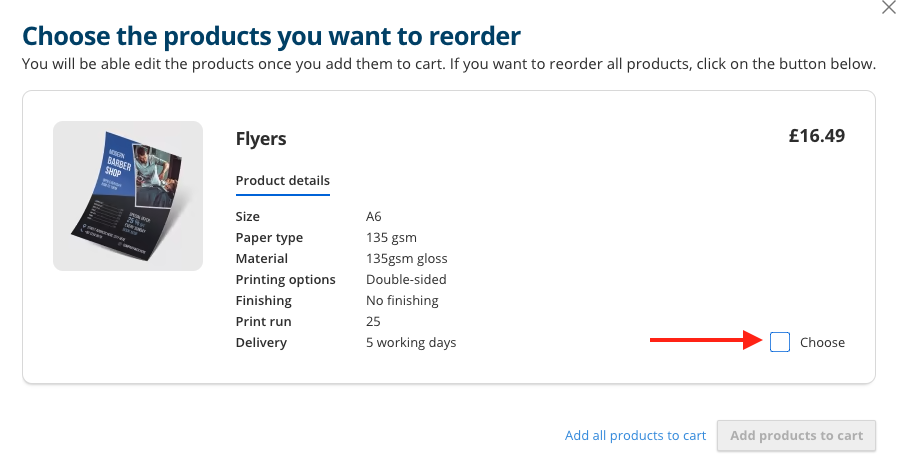
Select the products you would like to reorder and click on 'add products to cart'. If your previous order has an artwork and you want to reorder it using the same artwork, select ‘With this design’.
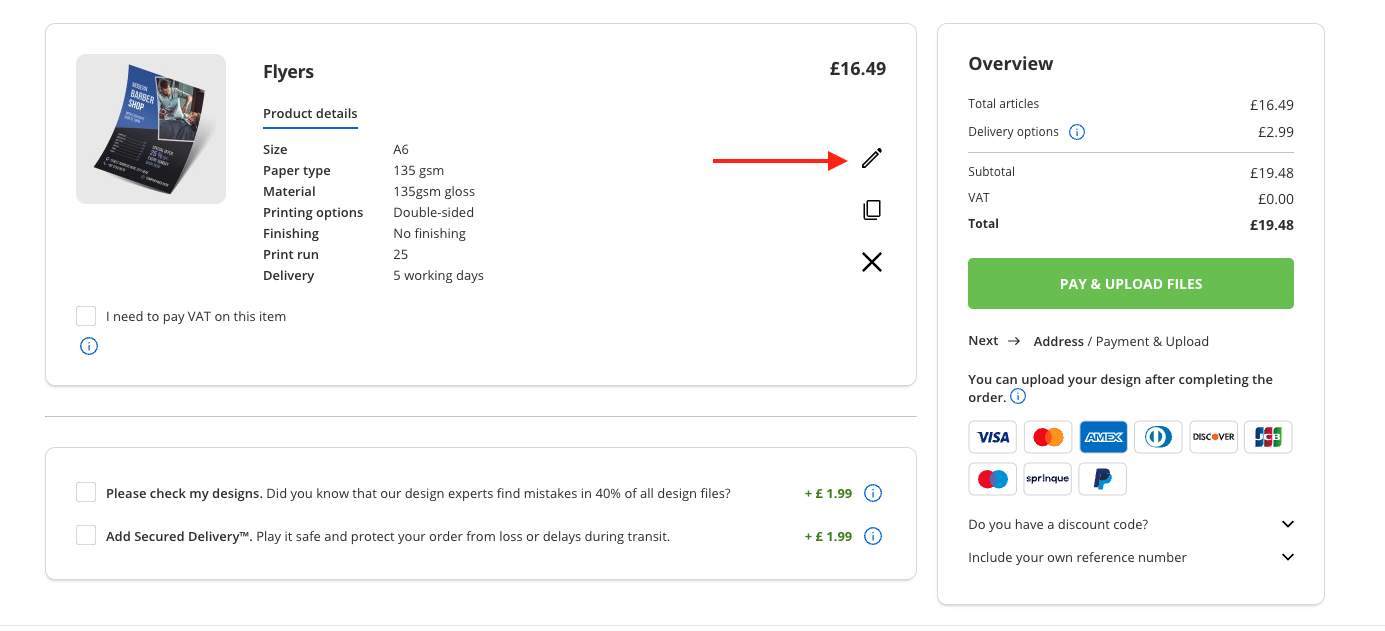
If you need to make any changes to the product specifications, no problem! Click on the pencil icon, and you'll be taken to the product page where you can adjust the specifications. If everything looks good, you can simply proceed to "Pay & Upload". Here, you can choose your preferred payment method and upload your files if you are reordering without artwork.
- If you tried to repeat your order, but our website ends up giving you an error message, we probably changed something in our backend for that specific product which prevents us to offer the repeat. As a customer, you can order the same product by going to the product page on our website and selecting the same specifications and quantities as before. If that does not work, you can contact us via our contact form.
